 Kernhue
ColorZilla vs Kernhue: which color picker extension should you use?
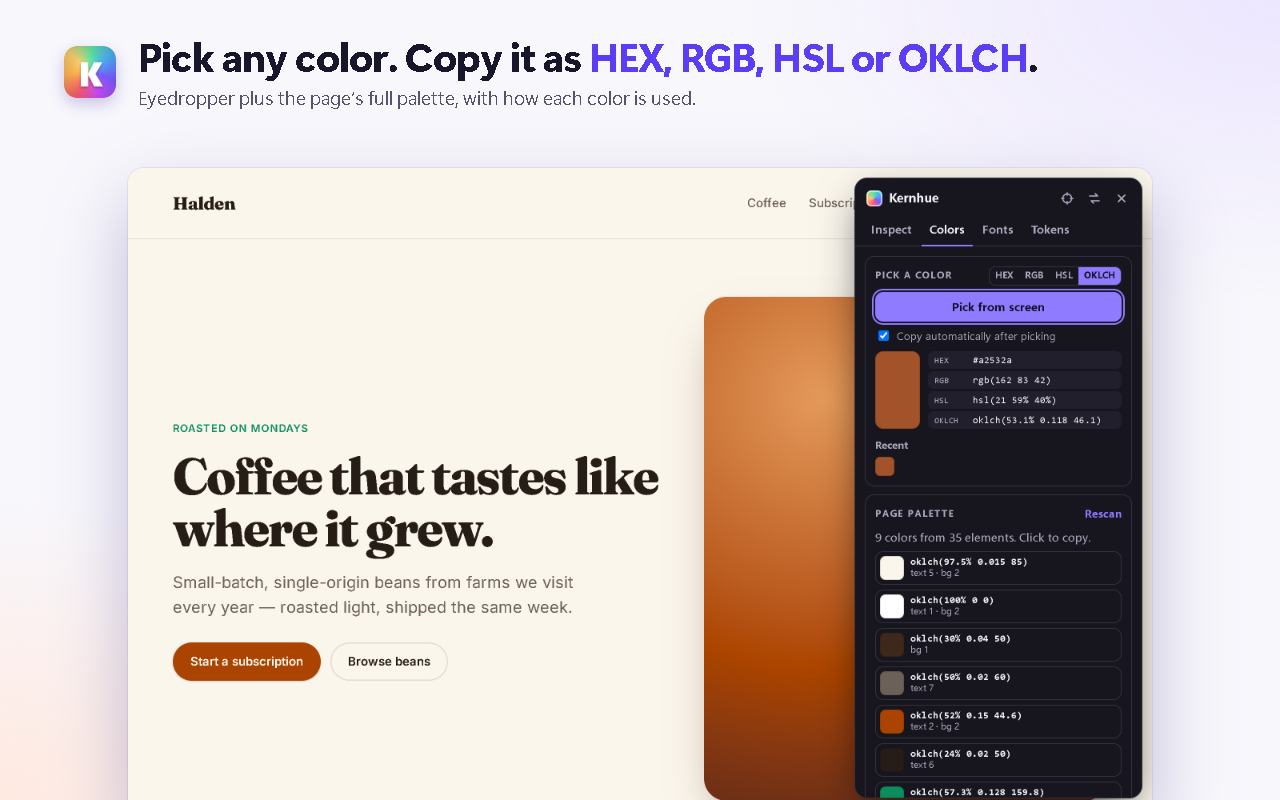
Short answer: choose Kernhue if you want a color picker, font finder and CSS inspector in one free extension, with OKLCH output and one-click export of a page’s colors as CSS variables, Tailwind or design-token JSON. Choose ColorZilla if you mainly need its CSS gradient generator, Photoshop-style color picker or multi-pixel sampling.
ColorZilla at a glance
ColorZilla is the best-known color picker for Chrome: its store listing shows 4,000,000 users and a 4.6 rating from 3.9K ratings. The same listing shows version 4.1, last updated May 22, 2024. Its tools include an eyedropper, an advanced color picker, the Ultimate CSS Gradient Generator, a webpage color analyzer, a palette viewer and color history.
Side by side
| ColorZilla | Kernhue | |
|---|---|---|
| Eyedropper | Yes, with sample sizes from 1×1 to 25×25 px | Yes, with automatic copy and recent colors |
| Copy formats | Not listed on the store page | HEX, RGB, HSL, OKLCH |
| Modern CSS colors (OKLCH, Lab, Display P3) | Not mentioned on the store page | Reads all of them |
| Page palette | Webpage color analyzer | Every color on the page, near-duplicates merged, with text / background / border use |
| Gradient generator | Yes | — |
| Font finder | Not listed | Hover text to see the font that is actually rendering |
| Copy an element’s CSS | Not listed | Yes, browser defaults removed |
| WCAG contrast | Not listed | AA / AAA result for any pinned element |
| Design-token export | Not listed | CSS variables, Tailwind v4 / v3, W3C token JSON, DESIGN.md |
| Last updated | May 22, 2024 | New in 2026 (Manifest V3) |
| Price | Free | Free; Pro adds AI token naming |
Where Kernhue is stronger
- One tool instead of three. Colors, fonts and CSS from the same hover — no switching between a color picker, a font finder and DevTools.
- Modern color spaces. Sites built with
oklch()and Display P3 colors are read correctly and can be copied as OKLCH. - From palette to code. The Tokens tab turns the page’s colors into ready-to-paste CSS variables, a Tailwind theme or W3C design-token JSON.
- Runs only when you click. Kernhue uses Chrome’s activeTab permission, so it reads only the tab you choose.
Questions
Is ColorZilla still updated?
ColorZilla’s Chrome Web Store listing shows version 4.1, last updated May 22, 2024 (checked 2026-10-06).
Can Kernhue copy colors as OKLCH?
Yes. Kernhue copies any color as HEX, RGB, HSL or OKLCH, and reads pages written in oklch(), oklab(), lab(), lch() and color(display-p3 …).
Does Kernhue have a gradient generator?
No. If you build CSS gradients by hand, ColorZilla’s Ultimate CSS Gradient Generator is the tool for that. Kernhue focuses on reading what a page already uses: colors, fonts, CSS and design tokens.
Is Kernhue free?
Yes. The color picker, page palette, font finder, CSS copy, contrast check and token export are free with no daily limits. Pro ($3 / month, $19 / year or $39 once) adds AI names for design tokens.
Try Kernhue
Kernhue is a font finder, color picker and CSS inspector for Chrome. Hover any text to see the font that is actually rendering, pick colors in HEX, RGB, HSL or OKLCH, copy clean CSS for any element, and export a page’s colors, type scale and spacing as CSS variables, Tailwind or design-token JSON.
Coming soon to the Chrome Web Store