 Kernhue
How to export design tokens from any website
Short answer: open the page, start Kernhue (Alt+Shift+K), go to the Tokens tab and pick a format — CSS variables, Tailwind v4 @theme, Tailwind v3 config, W3C design-token JSON or DESIGN.md. You get the page’s colors, fonts, type scale, spacing, radius and shadows, free and in your browser.
Step by step
- Open the website (production, staging,
localhostor a local HTML file). - Click the Kernhue icon or press Alt+Shift+K, then open the Tokens tab.
- Choose a format and copy or download it.
- Optional (Pro): click Name with AI for semantic names and a DESIGN.md with design notes.
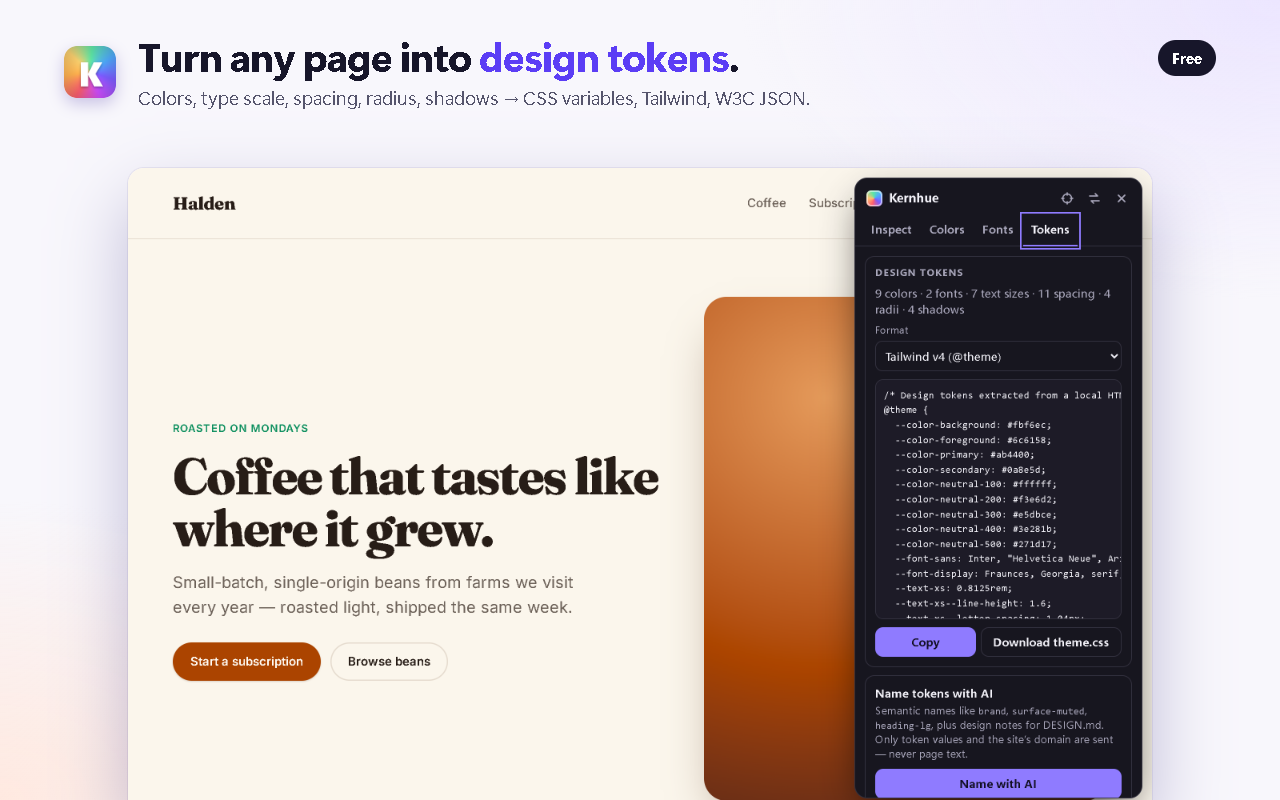
What the output looks like
W3C Design Tokens (DTCG) JSON uses $type and $value for every token, so tools like Style Dictionary and Tokens Studio can read it:
{
  "color": {
    "primary": { "$type": "color", "$value": "#5b3df5" },
    "neutral-200": { "$type": "color", "$value": "#e5e3ef" }
  },
  "font": {
    "sans": { "$type": "fontFamily", "$value": ["Inter", "sans-serif"] }
  },
  "spacing": {
    "4": { "$type": "dimension", "$value": { "value": 16, "unit": "px" } }
  }
}
The Tailwind v4 export is a ready-to-paste @theme block (see the example on Kernhue vs CSS Peeper).
Other ways to do it
- By hand in DevTools — read computed styles element by element. Accurate, but slow for a whole page.
- Dembrandt — an open-source (MIT) command-line tool that loads a URL in a headless browser and exports tokens as JSON, DTCG or DESIGN.md. A good fit for scripts and CI; Kernhue is the point-and-click option inside the browser you already have open, including pages behind a login.
Why Kernhue for token export
- Every format is free, with no daily limit
- Reads modern colors (OKLCH, Lab, Display P3) correctly
- Works on the page you are looking at — logged-in apps, staging and localhost included
- Runs in your browser; free features upload nothing
Questions
What design tokens can I get from a website?
Kernhue reads the values the page actually renders: colors, font families, the type scale (size, weight, line height), spacing, border radius and shadows. Near-identical colors are merged and everything gets a scale name such as neutral-200, text-lg or spacing-4.
Which formats are supported?
CSS custom properties, a Tailwind CSS v4 @theme block, a Tailwind v3 config, W3C Design Tokens (DTCG) JSON and DESIGN.md — all free.
Are these the site’s original tokens?
They are rebuilt from what the browser renders, so they are a faithful starting point rather than a copy of the site’s source files. Rename and trim them to fit your own design system.
What does the AI naming in Pro do?
“Name with AI” gives tokens semantic names such as surface-muted or heading-lg and writes design notes into DESIGN.md. Only token values and the site’s domain are sent — never page text. Free users get 3 tries (one-time).
Try Kernhue
Kernhue is a font finder, color picker and CSS inspector for Chrome. Hover any text to see the font that is actually rendering, pick colors in HEX, RGB, HSL or OKLCH, copy clean CSS for any element, and export a page’s colors, type scale and spacing as CSS variables, Tailwind or design-token JSON.
Coming soon to the Chrome Web Store