 Kernhue
Free Hoverify alternative for inspecting fonts, colors and CSS
Short answer: if you mostly use Hoverify to inspect CSS, pick colors and identify fonts, Kernhue does those three jobs for free in Chrome — plus a WCAG contrast check and design-token export. Hoverify remains the better buy if you need its full toolbox: responsive viewer, SEO checker, screenshots and assets.
Hoverify vs Kernhue
| Hoverify | Kernhue | |
|---|---|---|
| Price | $30 / year or $89 one-time | Free; Pro $19 / year or $39 once for AI token naming |
| Free plan or trial | No free trial; 14-day refund | Free forever, no account |
| Browsers per license | 3 activations | Free: no limit; Pro: up to 5 |
| CSS inspector | Yes | Yes — copy CSS with defaults removed |
| Color eyedropper | Yes | Yes — HEX, RGB, HSL, OKLCH and page palette |
| Font identification | Not listed separately on the pricing page | Hover to see the rendering font; fonts list for the page |
| WCAG contrast | Not listed on the pricing page | Yes |
| Design-token export | Not listed on the pricing page | CSS variables, Tailwind v4 / v3, W3C JSON, DESIGN.md |
| Responsive viewer, SEO checker, screenshots, assets | Yes | — |
| Browsers | Chromium browsers and Firefox | Chrome and Chromium browsers |
Who should switch
- You open Hoverify mainly to check a font, grab a color or copy an element’s CSS.
- You want to turn a page into CSS variables or a Tailwind theme.
- You would rather not pay for tools you don’t use.
Questions
How much does Hoverify cost?
Hoverify’s pricing page lists $30 per year or $89 one-time, each with 3 browser activations, and a 14-day refund instead of a free trial (checked 2026-10-06).
What does Kernhue not do that Hoverify does?
Kernhue focuses on fonts, colors, CSS and design tokens. It does not include Hoverify’s responsive viewer, SEO checker, screenshot tool, asset downloads or Firefox support.
Is Kernhue Pro required?
No. Everything on this page is free. Pro ($3 / month, $19 / year or $39 once) only adds AI names for design tokens; one license covers up to 5 browsers.
Try Kernhue
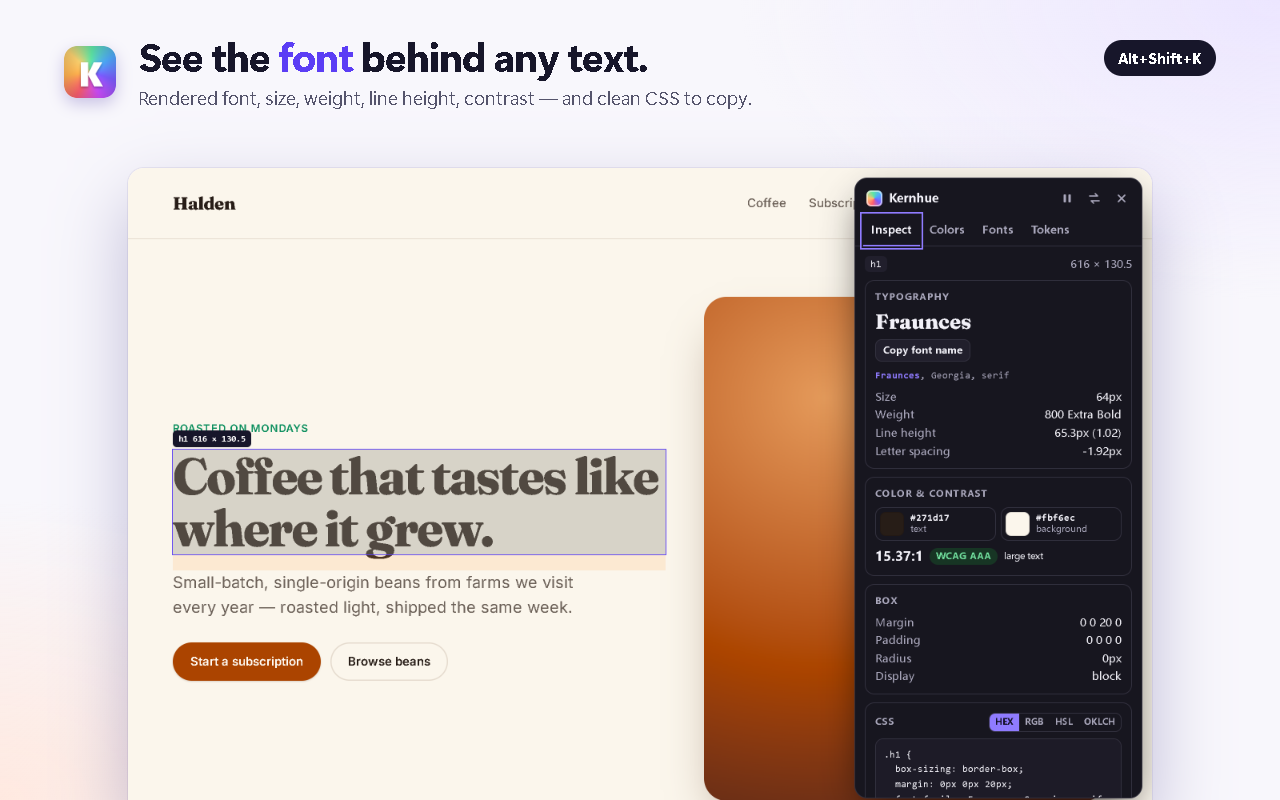
Kernhue is a font finder, color picker and CSS inspector for Chrome. Hover any text to see the font that is actually rendering, pick colors in HEX, RGB, HSL or OKLCH, copy clean CSS for any element, and export a page’s colors, type scale and spacing as CSS variables, Tailwind or design-token JSON.
Coming soon to the Chrome Web Store