 Kernhue
See the font, colors and CSS of anything on the web.
Hover any text to see the font that’s really rendering. Pick any color in HEX, RGB, HSL or OKLCH. Copy clean CSS. Export the whole page as design tokens. Built for current Chrome and modern CSS, including OKLCH.
Free, no account. Runs only when you click it.
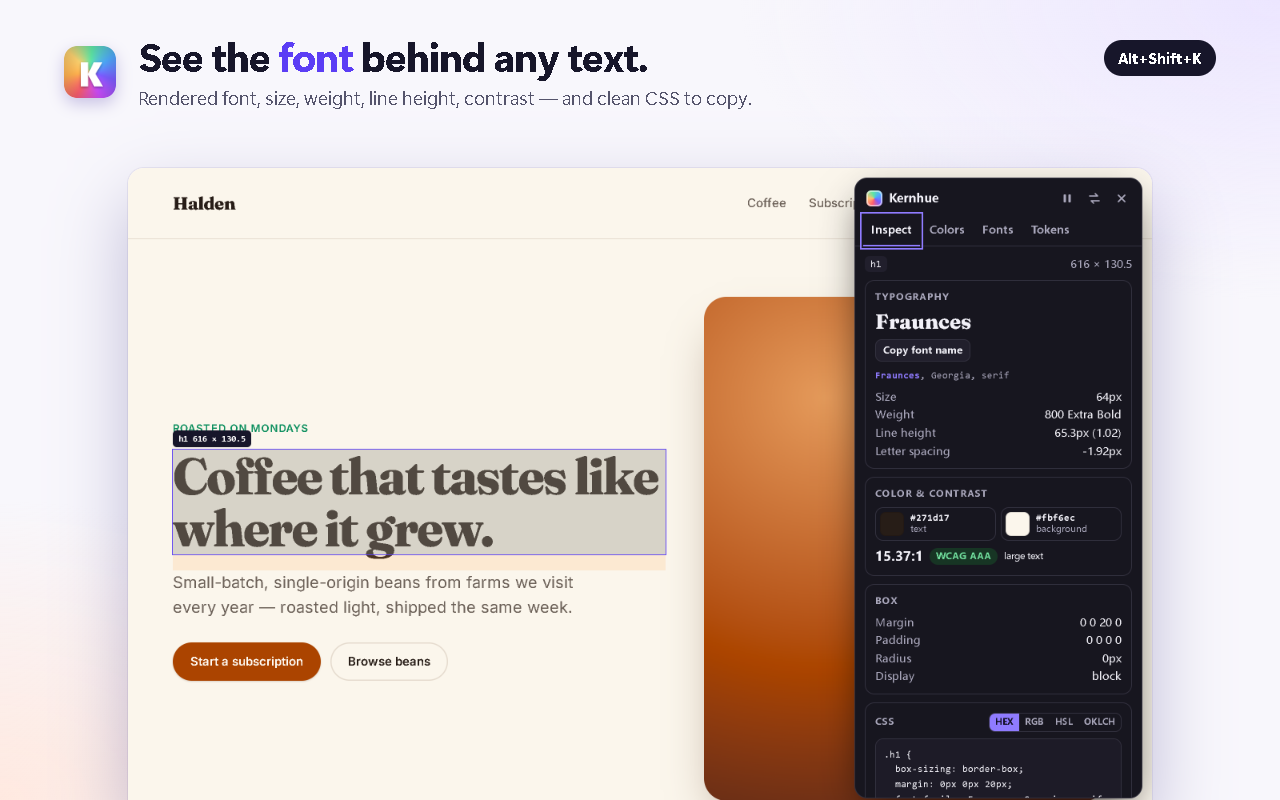
Everything you’d dig through DevTools for, one hover away
One shortcut — Alt+Shift+K — and everything is a hover away. No DevTools.
Font finder
Hover text to see the font that’s actually rendering, with size, weight, line height and letter spacing. Fallback fonts that didn’t load are crossed out.
Color picker
Eyedropper for any pixel, plus the page’s full palette with how each color is used. Copy as HEX, RGB, HSL or OKLCH, with automatic copy after picking.
CSS inspector
Click any element to pin it and copy its CSS — only the properties that differ from browser defaults, with shorthands collapsed.
Contrast check
Every pinned element shows its text-to-background contrast ratio and WCAG AA/AAA result, even on translucent backgrounds.
Fonts & type styles
See every font on the page with its share of text, and every type style in use — click one to copy it as a CSS font shorthand.
Design tokens
Export colors, type scale, spacing, radius and shadows as CSS variables, Tailwind v4 or v3, W3C token JSON or DESIGN.md.
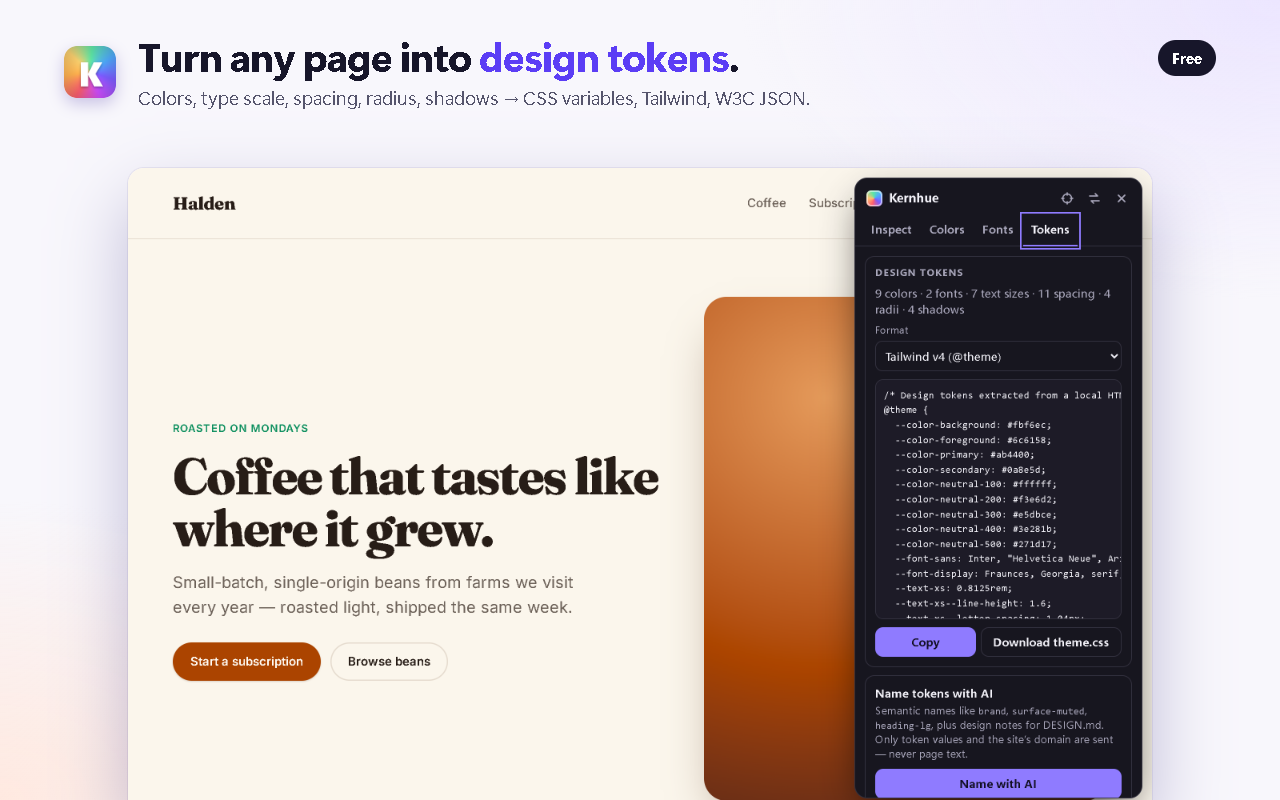
Turn any page into a starting design system
Kernhue reads the colors, fonts, sizes, spacing, radii and shadows the page actually uses, merges near-identical colors, and names everything with a sensible scale — primary, neutral-200, text-lg, spacing-4.
Kernhue Pro goes further: “Name with AI” gives every token a semantic name (surface-muted, heading-lg) and writes design notes into DESIGN.md — handy for briefing a teammate or an AI coding assistant. Only token values and the site’s domain are sent — never page text.
Built for today’s Chrome and today’s CSS
- Written for Chrome’s current extension platform (Manifest V3)
- Modern color spaces: OKLCH, OKLab, Lab, LCH and Display P3
- Works on
localhostand local HTML files - Sees inside web components (open shadow DOM)
- Its own UI is isolated, so page styles never break it
Private by design
- Runs only on the tab you choose, after you click (activeTab)
- Free features run entirely in your browser — nothing uploaded
- No ads, no pop-ups, nothing injected into websites
- No account needed
Pricing
Free: font finder, color picker, CSS copy and token export. Pro: $3 / month, $19 / year or $39 once. Compare plans.
Frequently asked questions
What is Kernhue?
Kernhue is a Chrome extension that shows the font, colors and CSS of anything on a web page and exports the page’s design tokens — free, and it only runs when you click it.
How do I find out what font a website uses?
Install Kernhue, open the page and press Alt+Shift+K (or click the Kernhue icon). Hover any text: Kernhue shows the font that is actually rendering — not just the first name in the CSS font stack — with its size, weight and line height. Click to pin it and copy the font name or the element’s CSS.
Is Kernhue free?
Yes. The font finder, color picker, CSS copy, page palette, fonts list and design-token export are free with no daily limits. Kernhue Pro ($3 / month, $19 / year or $39 once) adds AI token naming for everyday use with design notes in DESIGN.md; the free plan includes 3 free AI namings (one-time) to try it.
Does Kernhue read the pages I visit?
Only the tab you choose, and only after you click Kernhue or press its shortcut — it uses Chrome’s activeTab permission and has no access to other tabs. Fonts, colors and CSS are read in your browser. Kernhue adds no ads or pop-ups to websites.
Does it support OKLCH and other modern CSS colors?
Yes. Kernhue reads oklch(), oklab(), lab(), lch(), color(display-p3 …) and the classic formats, and lets you copy any color as HEX, RGB, HSL or OKLCH.
Can I inspect localhost and local HTML files?
Yes. Kernhue works on localhost dev servers. For files opened from your computer (file://), turn on “Allow access to file URLs” for Kernhue once in chrome://extensions; the popup links you straight there.
What formats can I export design tokens in?
CSS custom properties, a Tailwind CSS v4 @theme block, a Tailwind v3 config, W3C Design Tokens JSON, and DESIGN.md. Exports include colors, font families, the type scale, spacing, border radius and shadows.
Kernhue is coming to the Chrome Web Store
Kernhue is a font finder, color picker and CSS inspector for Chrome. Hover any text to see the font that is actually rendering, pick colors in HEX, RGB, HSL or OKLCH, copy clean CSS for any element, and export a page’s colors, type scale and spacing as CSS variables, Tailwind or design-token JSON.
Coming soon to the Chrome Web Store