 Kernhue
How to find what font a website uses (3 ways)
Short answer: install a font finder extension such as Kernhue, press Alt+Shift+K and hover the text — it shows the font that is actually rendering, with its size, weight, line height and letter spacing. Without an extension, right-click the text, choose Inspect, open the Computed tab in Chrome DevTools and scroll to Rendered Fonts.
1. Hover with a font finder extension (fastest)
- Install Kernhue (free) and pin its icon.
- Open the page and press Alt+Shift+K, or click the Kernhue icon.
- Hover any text. Kernhue shows the rendering font, size, weight, line height and letter spacing. The CSS font stack is listed with the family in use highlighted and unavailable families crossed out.
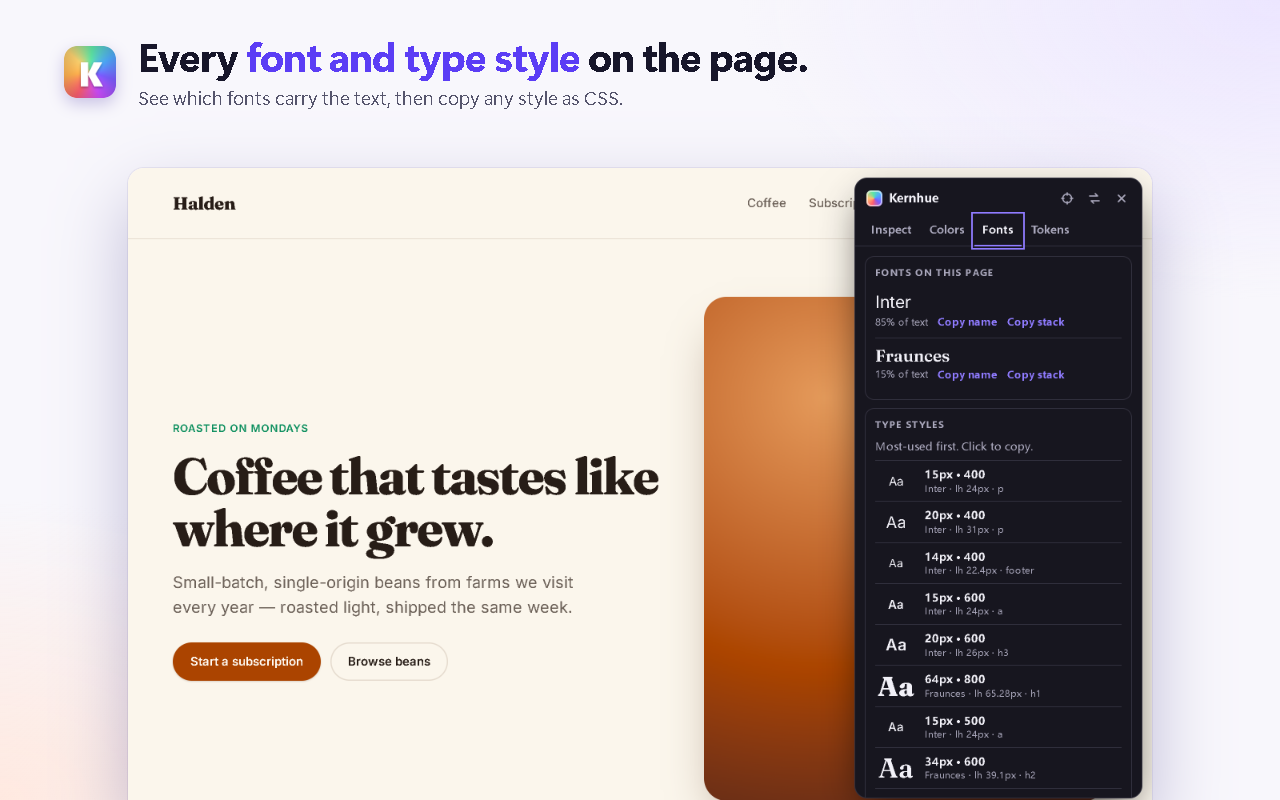
- Click to pin the element, then Copy font name or Copy CSS. The Fonts tab lists every font on the page with its share of text.
2. Chrome DevTools: Computed → Rendered Fonts (no install)
- Right-click the text and choose Inspect.
- In the Elements panel, open the Computed tab.
- Scroll to the bottom: Rendered Fonts lists the font the browser actually used for that element and how many glyphs it drew (walkthrough by Dean Hume).
This is reliable but slow when you want to check many elements, and it does not show colors or copy-ready CSS at the same time.
3. Fonts inside images and logos
If the text is part of an image, a logo or a PDF, no browser tool can read it as text. Take a screenshot and use an image-based identifier such as WhatTheFont.
Which way should you use?
| You want to… | Use |
|---|---|
| Check fonts on many elements quickly | Kernhue (hover) |
| See fonts, colors and CSS together | Kernhue (pin an element) |
| Confirm one element without installing anything | DevTools Rendered Fonts |
| Identify a font in a logo or image | WhatTheFont |
Looking for a replacement for WhatFont? See WhatFont alternative.
Questions
Why does the CSS show several fonts?
The font-family property is a list of fallbacks. The browser uses the first family that is available and has the characters it needs, so the first name in the list is not always the one you see. Kernhue and the DevTools Rendered Fonts panel both show the font that is actually rendering.
How do I find the font in an image or logo?
Font finder extensions read live text, not pictures. For text inside an image, upload a screenshot to an image-based identifier such as WhatTheFont by MyFonts.
Can I use a font I found on another website?
Finding a font does not give you a license to use it. Many web fonts are free on Google Fonts; others must be licensed from their foundry.
Does this work on localhost or local HTML files?
Kernhue works on localhost, and on local file:// pages after you turn on “Allow access to file URLs” for it once in chrome://extensions.
Try Kernhue
Kernhue is a font finder, color picker and CSS inspector for Chrome. Hover any text to see the font that is actually rendering, pick colors in HEX, RGB, HSL or OKLCH, copy clean CSS for any element, and export a page’s colors, type scale and spacing as CSS variables, Tailwind or design-token JSON.
Coming soon to the Chrome Web Store